All Cameras Showing Offline?
Two things to check: power and internet
If every camera drops offline at the same time, it's almost never the cameras — it's the recorder they all plug into (the NVR). When the NVR goes offline, it's lost one of two things: power, or its internet connection. Check those two and you'll fix it most of the time.
Just one camera offline while the rest are fine? That's a different issue — usually that camera's own cable or power — so this guide won't be the one. Give us a call for that.
Check the NVR has power
Find your NVR (the box your cameras record to — usually near the TV, in a cupboard, or the garage). Make sure its power light is on.
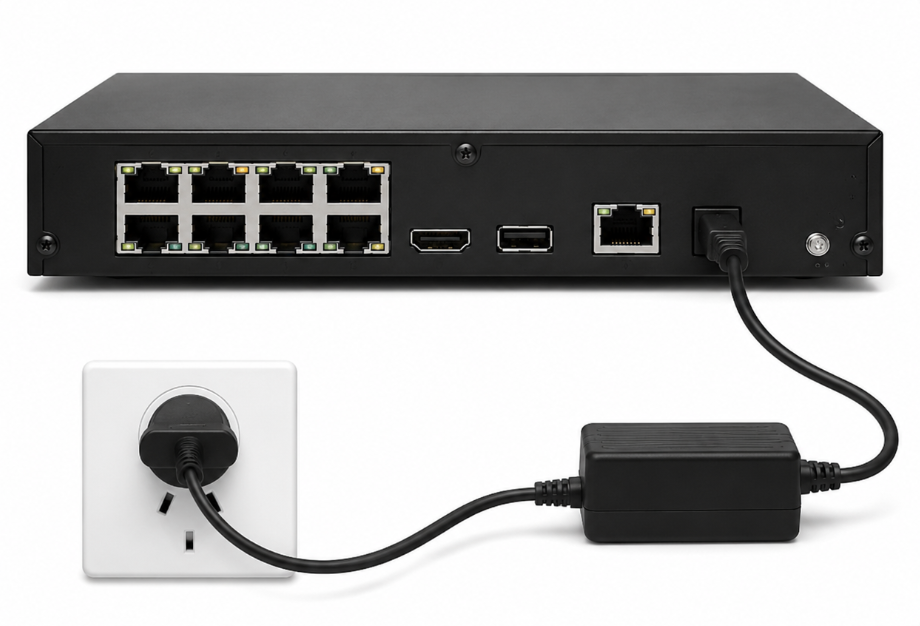
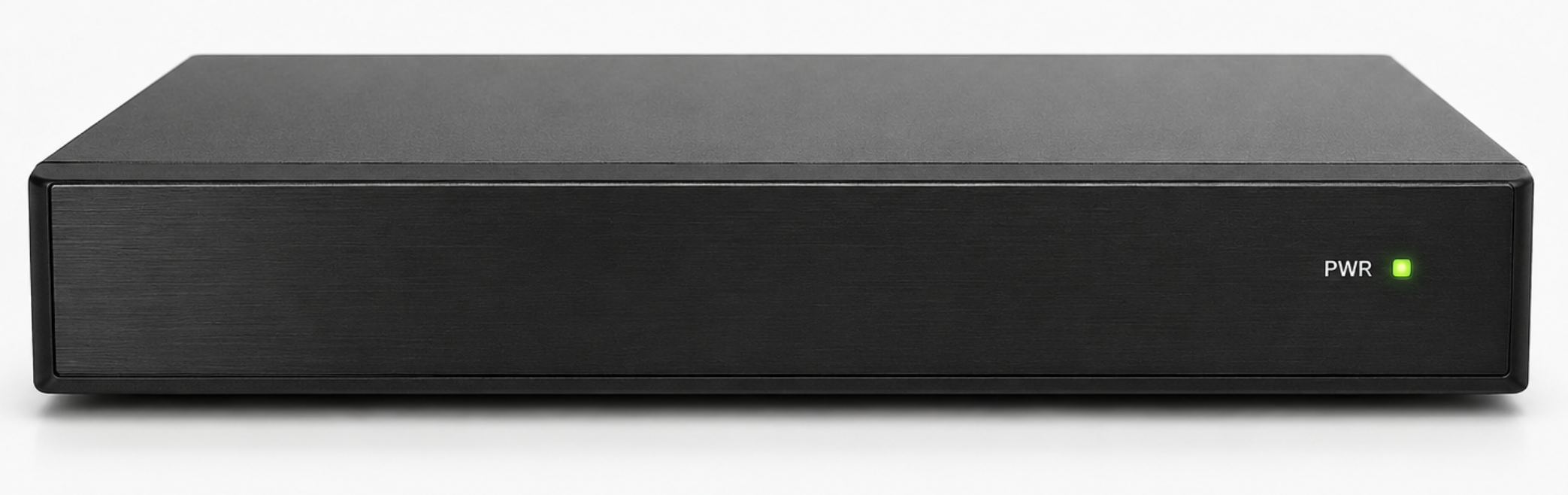
- Check the power lead is firmly in the back of the NVR and at the wall.
- Make sure the wall switch is on — and that it's not sharing a switched-off point.
- No lights at all? Try a different power point before anything else.
Check the internet connection
The NVR reaches the app through a network cable back to your internet router. First make sure that cable is in the right port at each end.
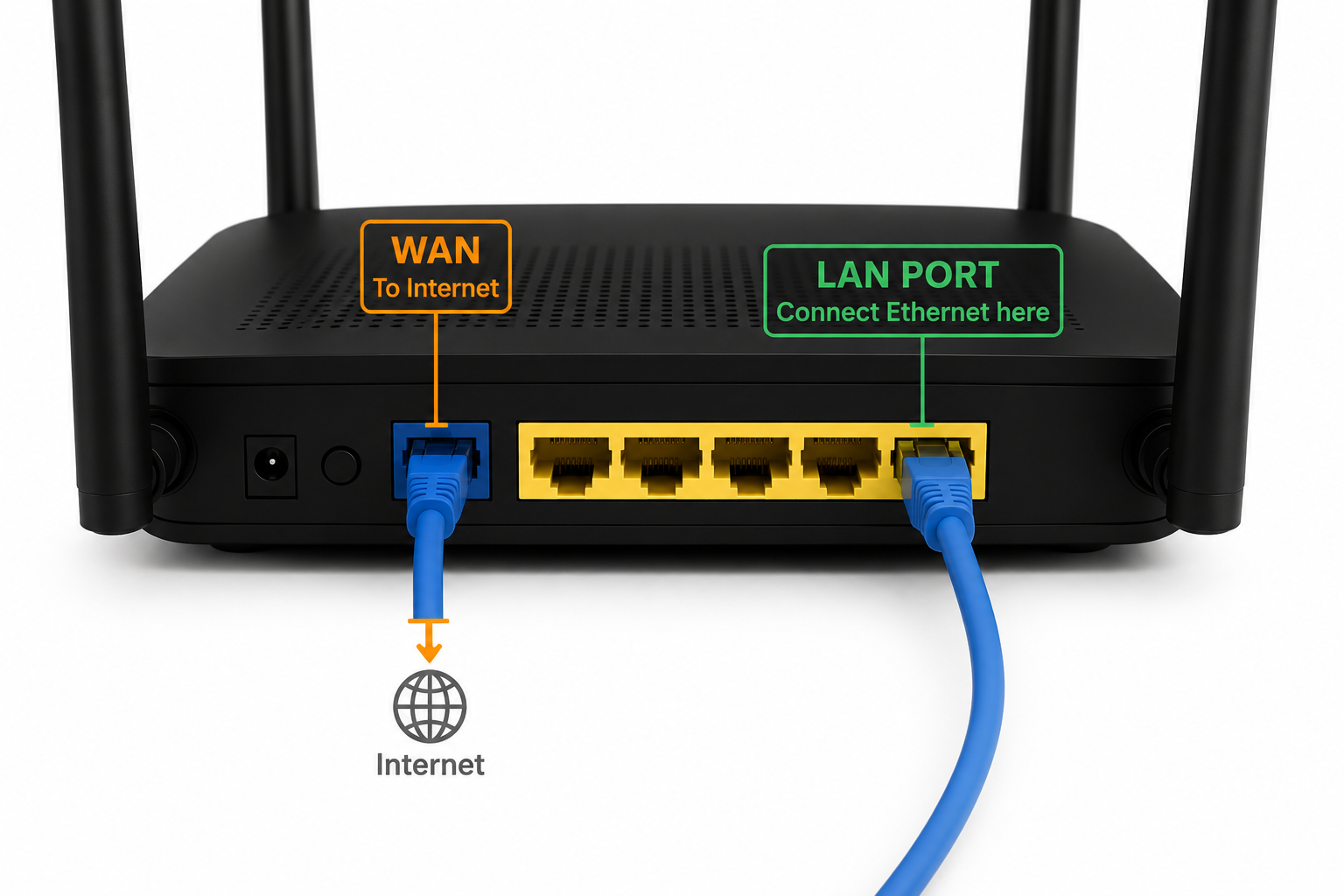
At the router
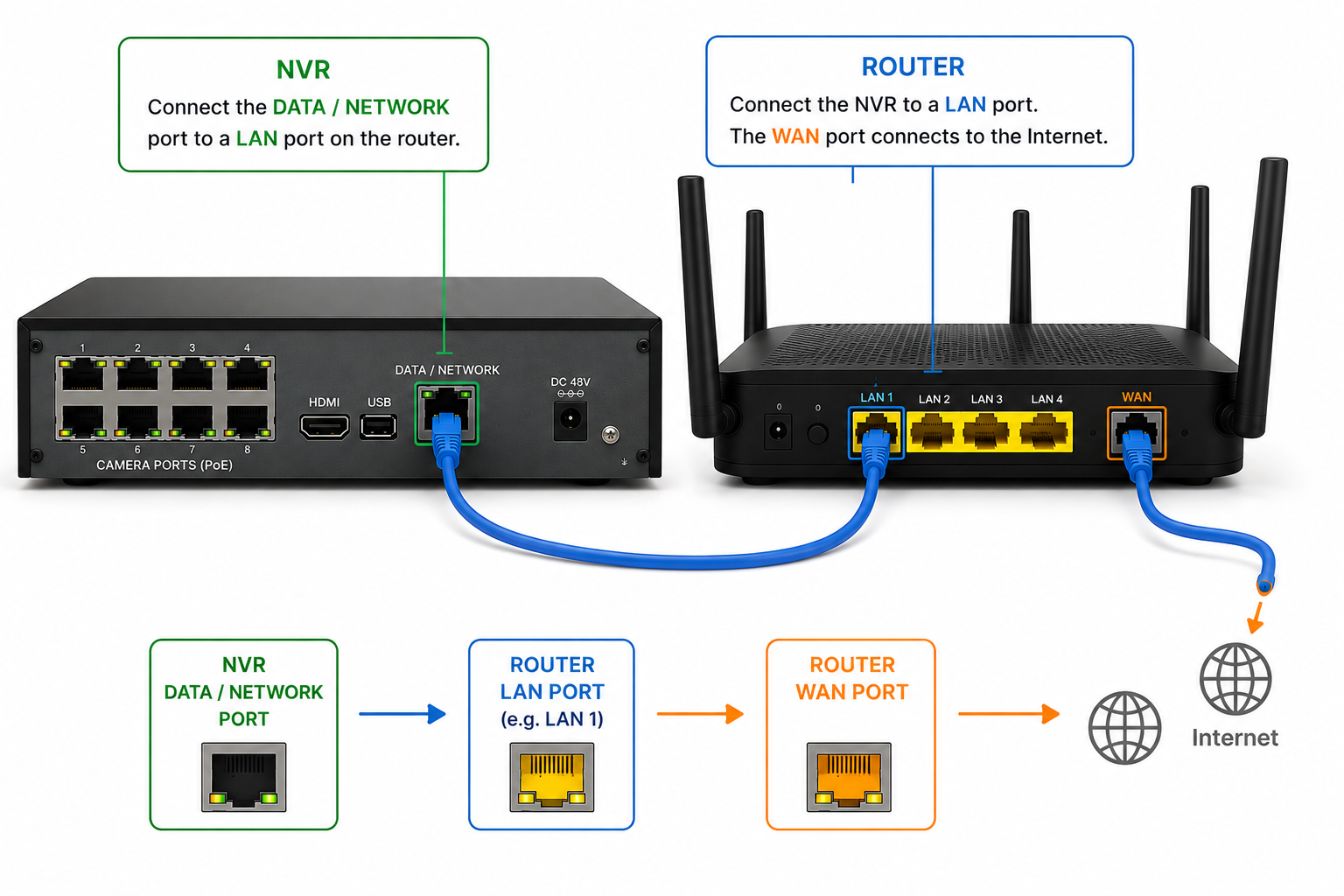
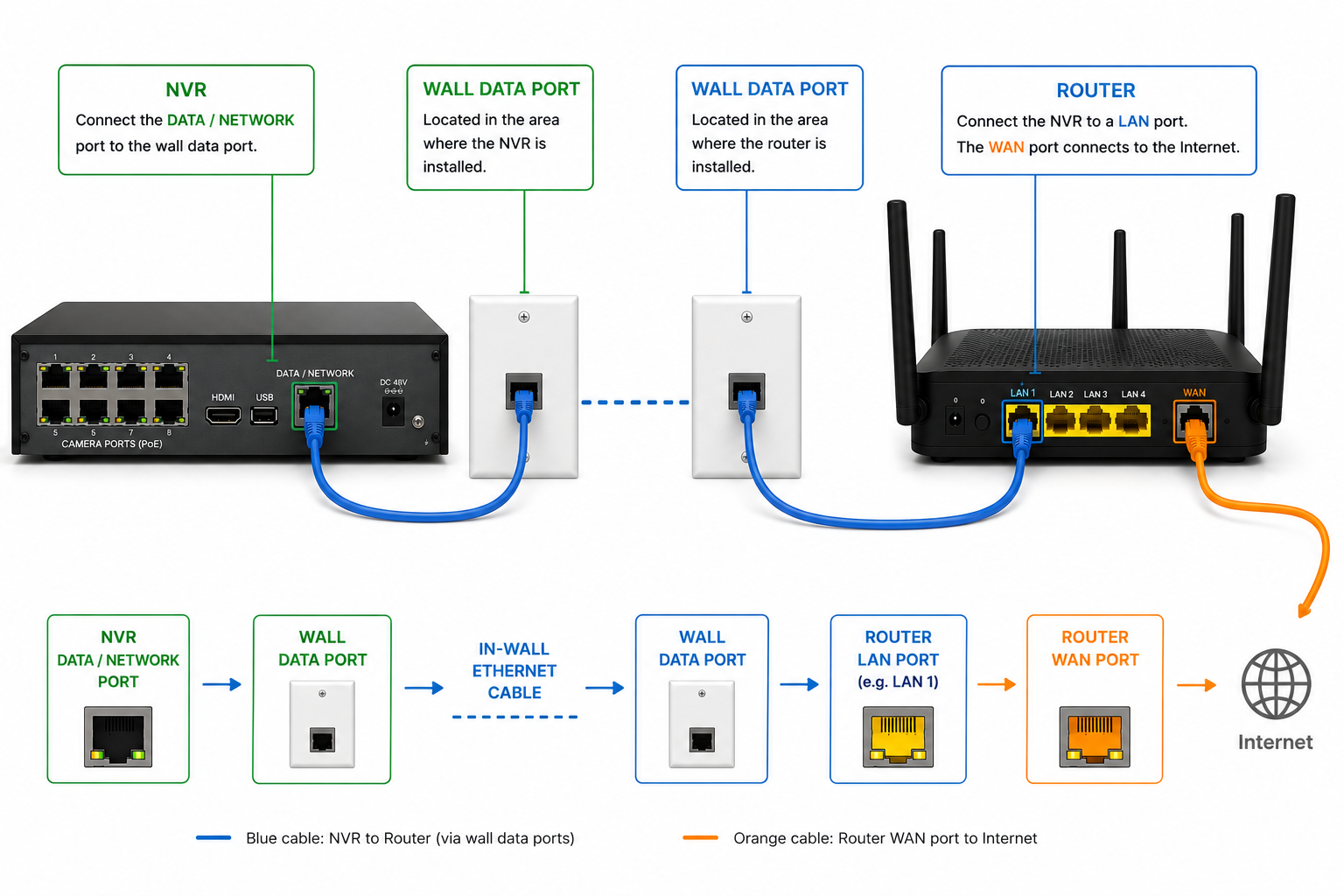
The cable goes into one of the LAN ports (usually yellow) — not the WAN / internet port.
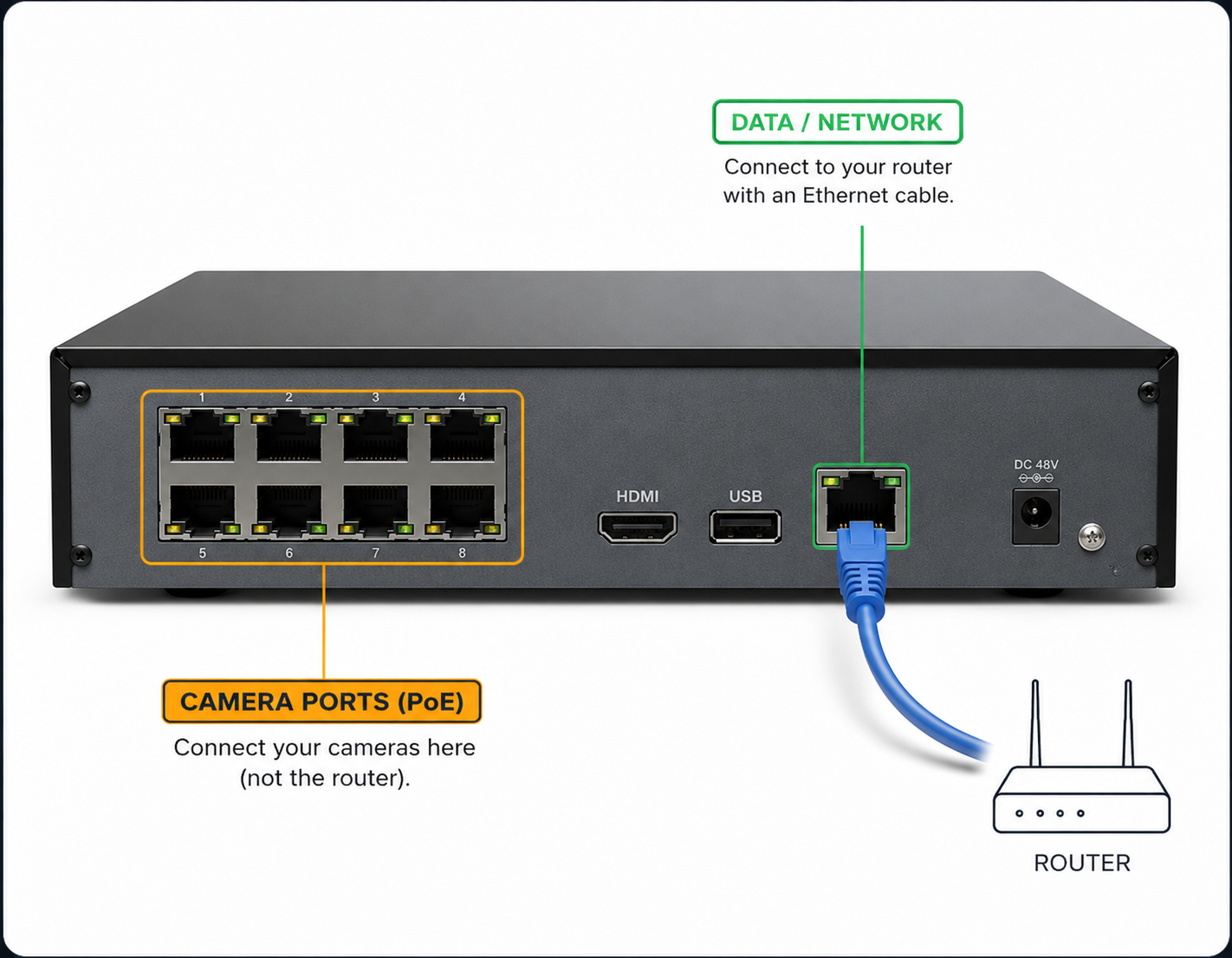
At the NVR
The cable goes into the DATA / NETWORK port — not one of the PoE ports (those run the cameras).
Between those two points the cable runs one of two ways — find the one that matches your setup.
Variation A — straight to the router
A single network cable runs from a LAN port on the back of your router straight into the network port on the NVR.
Variation B — through a wall point
The same connection, just run through the wall: a short cable from the router into a wall data point, and another short cable from a wall data point into the NVR. The two points are linked inside the wall.
- Push each cable in firmly until it clicks — at the router, the NVR, and any wall points.
- Look at the small lights next to the NVR's network port — they should be lit or flickering. Nothing there means no connection.
- If your router's been off or replaced, that'll do it too — once it's back online, the NVR should follow.
Checked both? Give it a restart.
Turn the NVR off at the wall, wait about 30 seconds, and switch it back on. Then give it a couple of minutes — it takes a moment to start up and reconnect before your cameras come back in the app.
Still offline after all that?
That's as far as the easy checks go — give us a call and we'll take it from there. You reach the person who installed your system, so we'll know your setup.